Daily activity report software for cleaner, client-ready guard reports.
dfndr helps security companies capture guard activity, incident details, and photos from the field — and turn them into clean, client-ready service reports that prove the work was done, all in one platform.
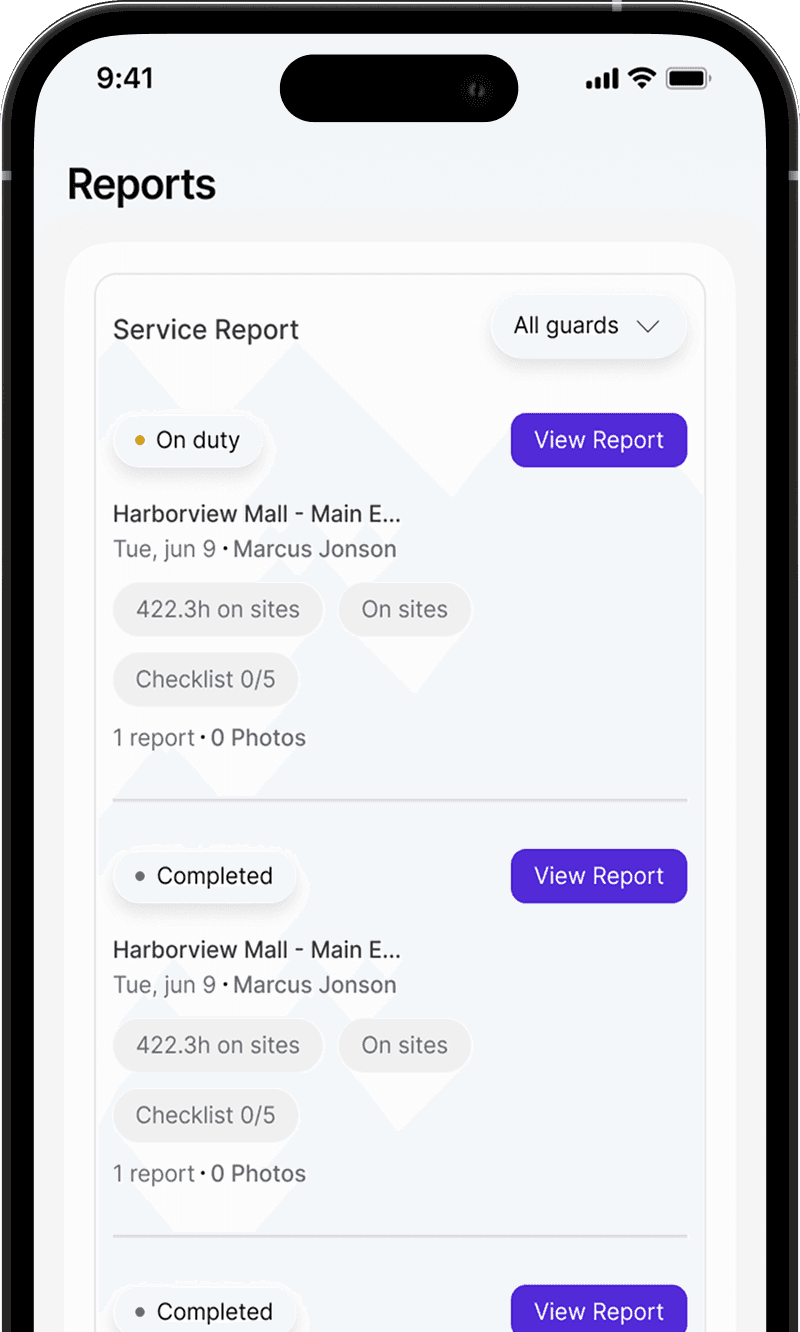
Reports still live on paper, texts, and spreadsheets.
When daily activity and incident reports are scattered, details go missing, clients wait for updates, and accountability slips.
DARs get lost between paper, group texts, and email threads.
Key details are vague, late, or missing when they matter most.
Clients wait days to hear what actually happened on their sites.
It is hard to prove who reported what, with photos and times.

All your guard reporting in one platform.
dfndr brings guard activity reports, incident details, photos, and admin and client visibility together — so reporting is consistent, reviewable, and ready to share.
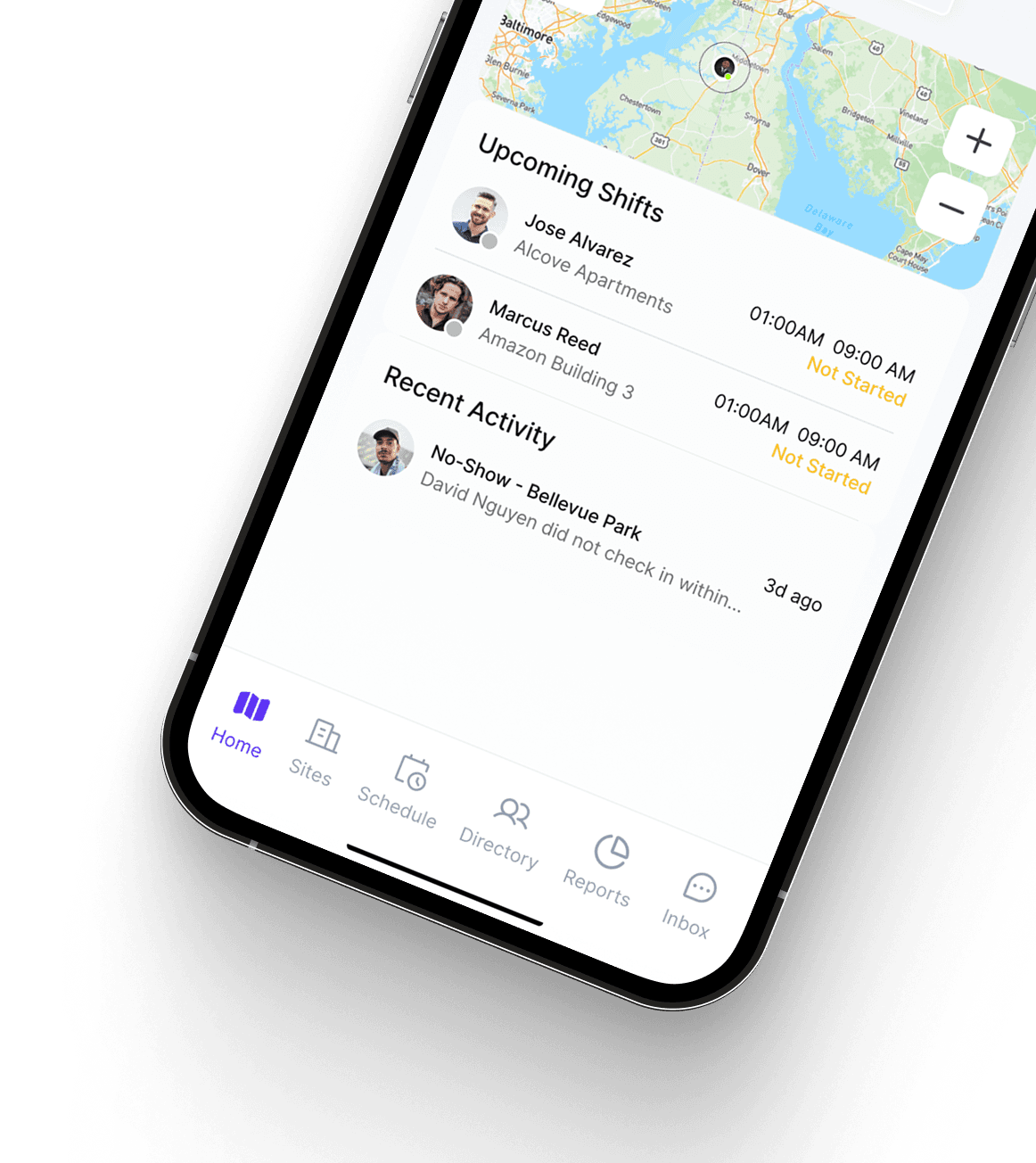
Everything your team needs to report and review.
The reporting tools security companies use every day — captured in the field, ready for the office and the client.
Guards log activity through the shift, building a clear, timestamped record.
Capture incidents in the moment, with details and photos attached.
Attach photos so incidents and observations are documented clearly.
Guards submit reports from the app on shift, not written up later.
Submitted activity flows to the web dashboard for admins to review.
Give clients a read-only view of the activity and reports for their sites.
Turn shift activity into clean, client-ready service reports you can download.
Reports carry the site and shift they came from, so the record stays clear.
Proof of service, not just paperwork.
Security companies do not just need reports for internal records — they need professional proof that service was delivered. dfndr helps turn guard activity into clean, client-ready documentation.
AI-assisted writing for more professional reports.
dfndr includes an optional "Improve Writing" tool that helps guards turn rough field notes into clearer, more professional language. It assists with wording, grammar, and clarity — the guard reviews and accepts the result, so the report stays true to what they observed on site.
dfndr helps security teams turn field notes into professional, client-ready reporting — without losing the human context from the guard on site.
Guards capture what they observed on site, in their own words.
An optional AI pass suggests clearer, more professional wording.
The guard reviews the suggestion and accepts it before it is saved.
Guards and admins review and stay responsible for the final report. AI helps with wording, grammar, and clarity — it does not replace the guard's judgment.
Reports your clients can actually trust.
Better reporting is not just cleaner for your team — it changes how clients experience your service.
From the owner to the guard to the client.
Show clients professional proof of service and protect your contracts.
Standardize reporting across guards, sites, and shifts in one place.
Review activity and incidents as they come in and follow up faster.
Submit clear daily activity and incident reports right from the app.
See the activity and reports for the sites you care about.
Cleaner reporting, stronger operations.
Timestamped reports and photos create a record you can stand behind.
Share organized updates instead of scattered texts and emails.
Admins review submitted activity in one place, the moment it lands.
Consistent, readable reports that reflect well on your company.
Reporting flows from the field to the office without the back-and-forth.
Questions about daily activity report software.
Daily activity report software is a tool security companies use to collect, organize, and share the activity their guards log on shift — instead of paper DARs, texts, and spreadsheets. dfndr lets guards submit daily activity and incident reports with photos from their phone, and gives admins and clients one place to review them.
A DAR, or daily activity report, is the running log a guard keeps during a shift — patrols, observations, and notable events, with times. In dfndr, guards capture daily activity throughout the shift from the app, building a clear, timestamped record tied to the site and shift.
Yes. Guards log daily activity and file incident reports directly from the dfndr mobile app while on shift, so reports are captured in the moment rather than written up later.
Yes. Guards can attach photos to their reports so incidents and observations are documented clearly, and the office and clients can see what happened on site.
Yes. You can give clients a read-only view of the activity and reports for their own sites, so they have visibility into coverage without extra admin work or phone calls.
Yes. Guards can capture incidents in the moment with details and photos, and those reports flow to the web dashboard for admins to review and for clients to see for their own sites.
Yes. dfndr can turn shift activity into clean service reports that you can download as PDFs and share with clients — so the work your guards do becomes professional proof of service.
Yes. dfndr includes an optional AI-assisted "Improve Writing" tool that helps guards turn rough notes into clearer, more professional language. The guard reviews and accepts the result before it is saved, so the report stays accurate to what they observed on site.
Explore more dfndr features
A mobile app for guards to clock in, follow post orders, and submit reports.
Give clients a read-only view of reports, coverage, and proof of service they can trust.
Run guards, sites, schedules, reports, and client visibility from one platform.
Turn guard activity into client-ready proof of service.
Start a free trial and give your team one platform for daily activity reports, incidents, photos, and client-ready service reports.